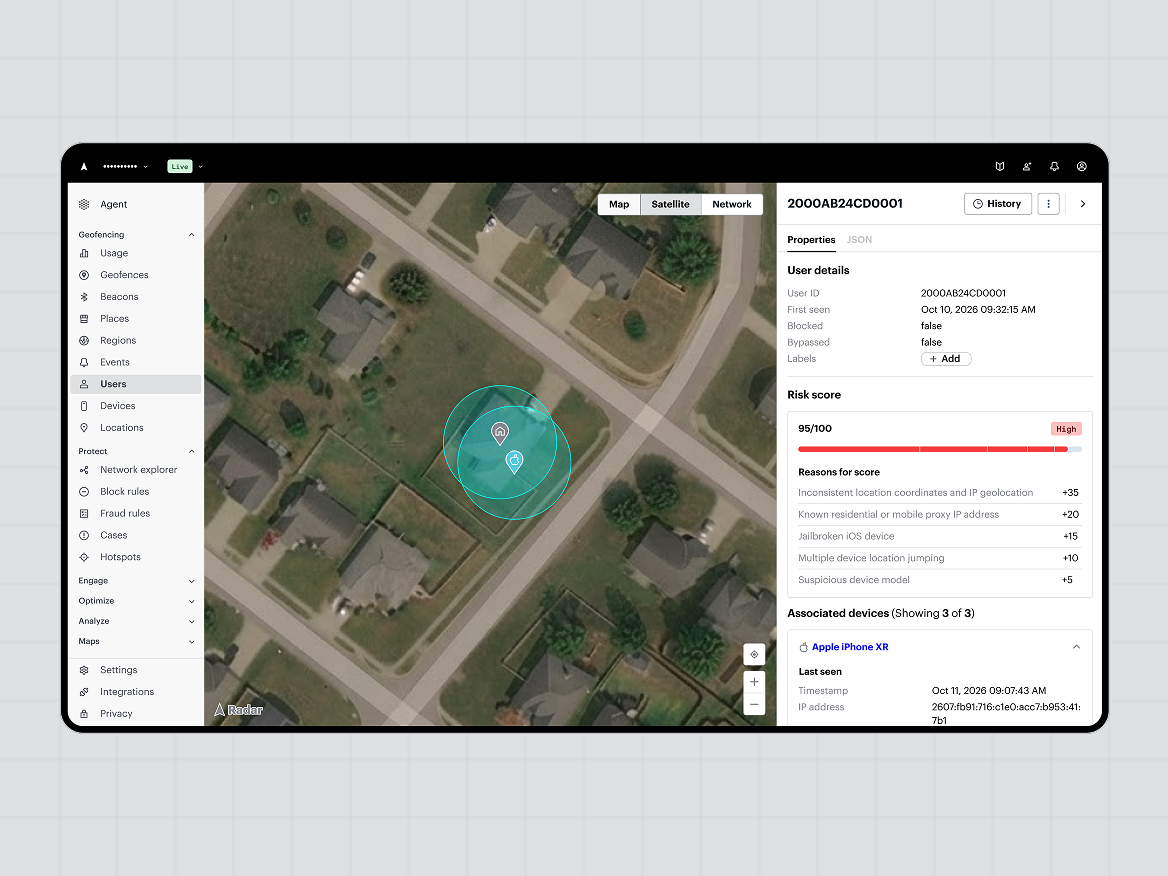
Today we're introducing a new way to see where coordinated fraud concentrates. Fraud hotspots detect physical locations where multiple users and risk signals come together, such as several accounts on proxies, spoofed locations, or shared devices all operating from the same spot, so your fraud team can investigate, write rules against them, or block the activity.
Hotspots is one of the first capabilities built on Radar's Location Intelligence Graph, which draws on more than 100 billion location observations a year - more than 10 billion every month - from our own platform. That data gives each hotspot context, such as what is normal at a location and what is not, so your team spends less time guessing and more time acting. Fraud that looks scattered in your identifiers can look concentrated on a map.
Why do device and IP signals miss coordinated fraud?
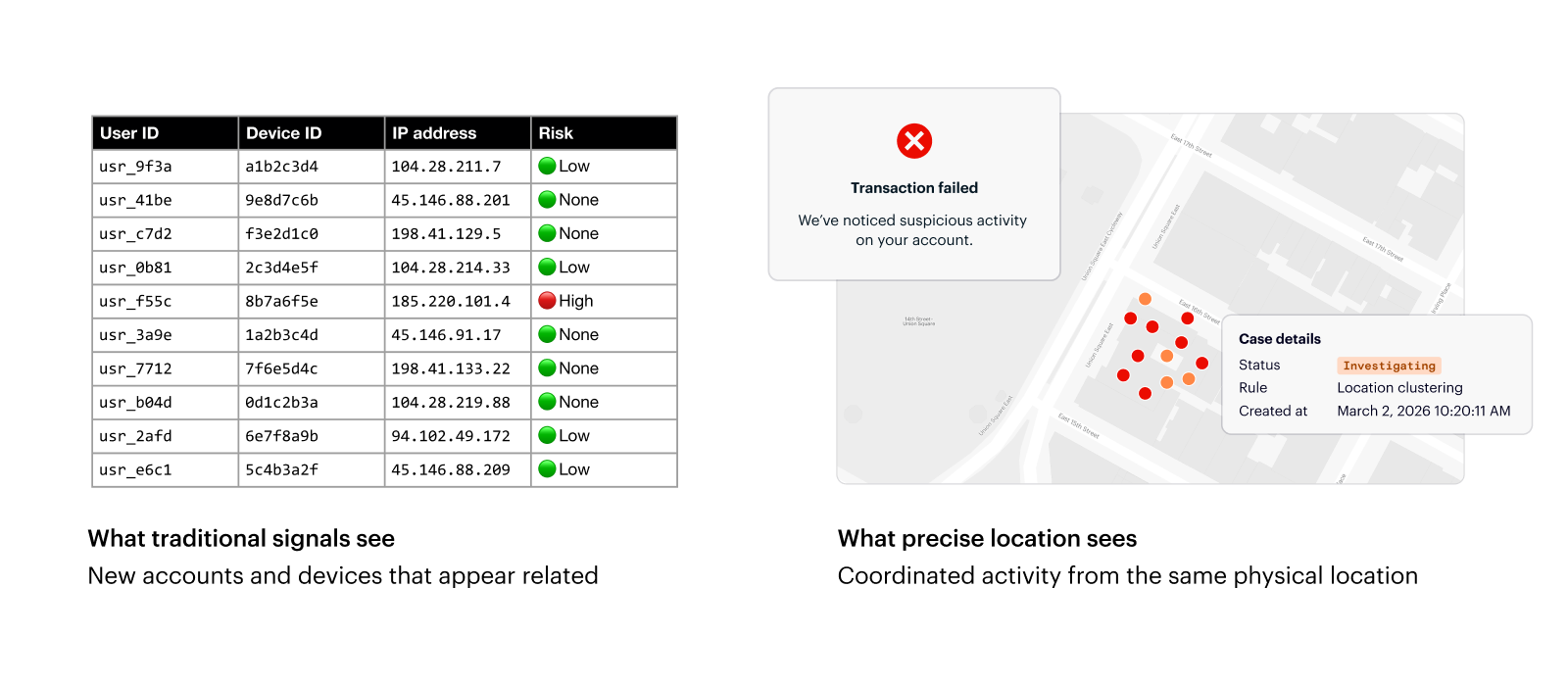
Device and IP signals judge each account at face value, so a group of signups or offer claims can look unrelated: different accounts, different devices, different IP addresses. Precise location can show that all of that activity comes from the same physical place, and/or if it was manipulated or spoofed.
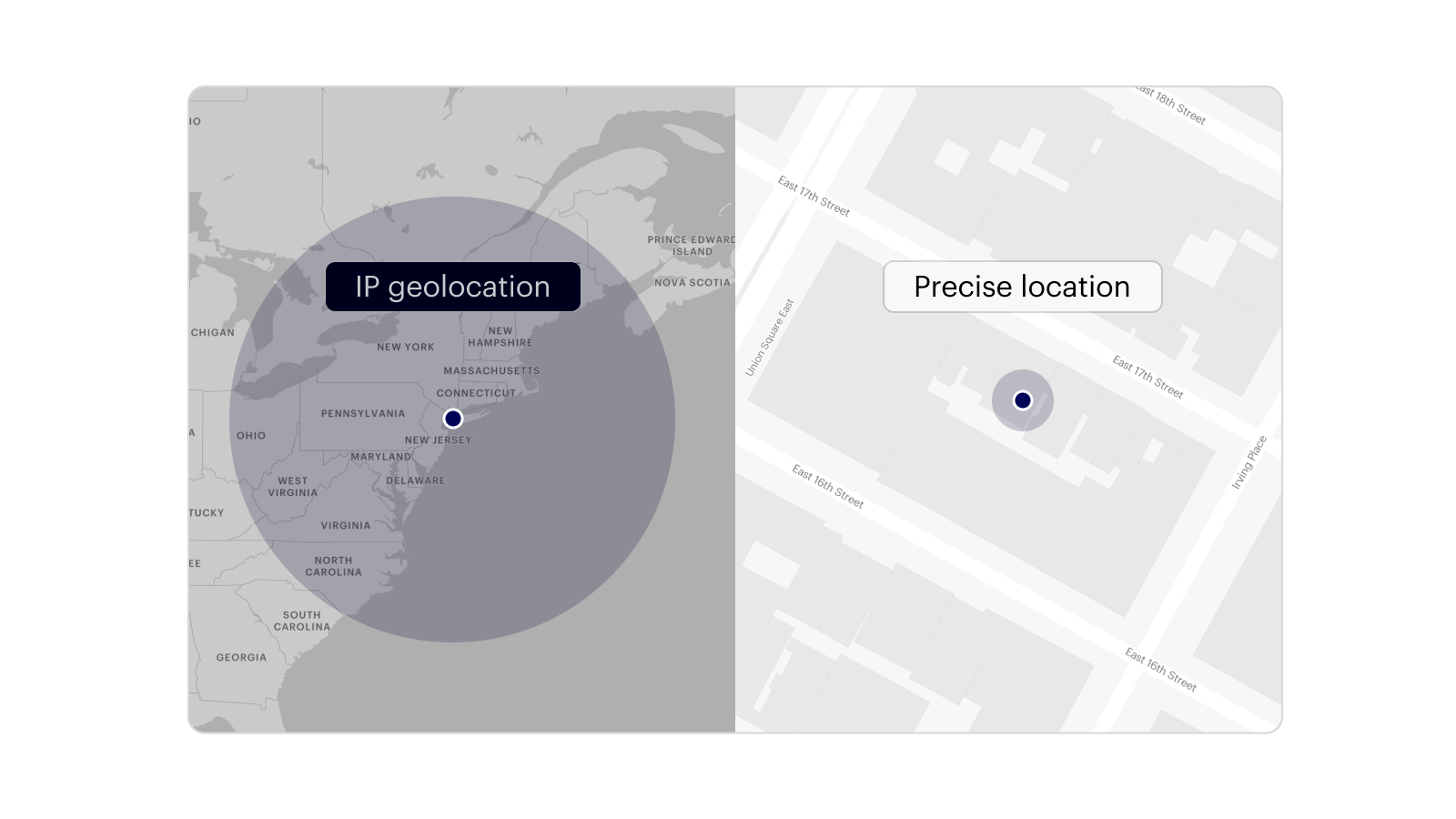
Precise location here means device-based location, such as GPS and Wi-Fi, not a location inferred from an IP address alone.
- Device and IP signals alone: show each account, device, and network separately, and doesn't catch manipulation such as spoofing.
- Adding precise location: shows where each check happened, so accounts that look unrelated converge on one spot, and attempts to manipulate it are flagged.
- Together: show a full picture of where a customer is.
Fraudulent accounts often appear repeatedly in the same small area as other fraudulent accounts without ever sharing a device. Sophisticated rings can vary identities, devices, and IP addresses, but the spoofed locations they use still tend to repeat across accounts. Hotspots detects that repeated pattern, which a single spoofed location check would not show. It does not replace your device, IP, or identity tools - it adds a view those tools do not have.
What is a fraud hotspot in Radar?
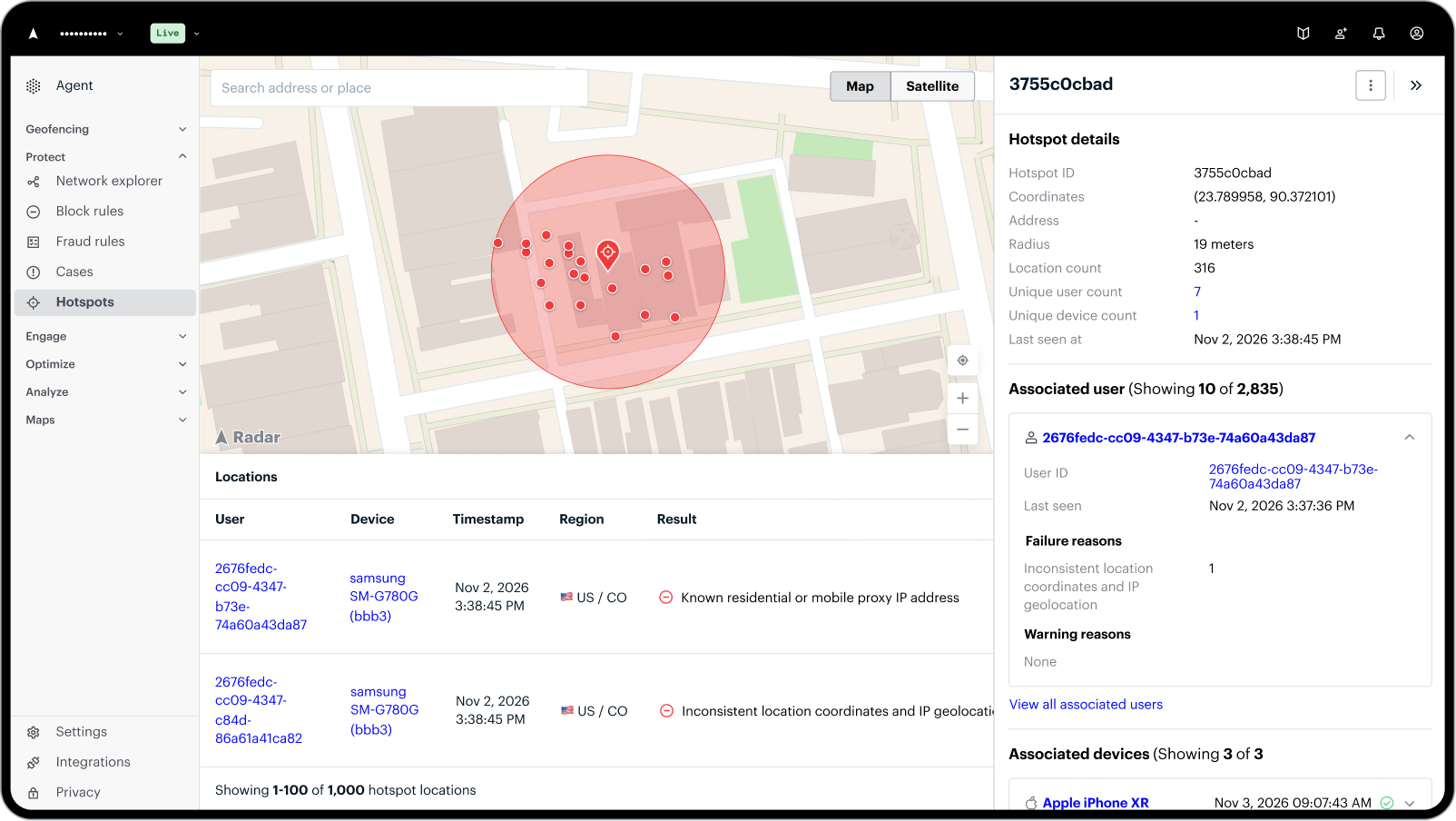
A hotspot in Radar is a physical area where Radar sees a concentration of risk signals in your project. The dashboard shows the area on a map with the details your team needs to start investigating.
Each hotspot lists coordinates and address, radius (for example, 29 meters), location count, unique user count, unique device count, and when activity was last seen. You can click several levels deeper into the users, devices, and location checks tied to it, with the result for each check, like a known proxy or VPN address or a residential proxy.
A view across all your hotspots shows them on one map with a table of addresses, associated users and devices, and last seen times, so your team can choose where to look first.
Hotspot warnings do not trigger enforcement on their own; they give your team an additional fraud signal to investigate or build into your rules.
How does Radar tell a hotspot from a busy place?
Radar uses the Location Intelligence Graph to understand what is at a location and what activity is normal there, then flags places where activity does not fit. The Graph draws on over 100 billion location observations a year from over 500 million devices to differentiate between a hotspot and a legitimate cluster of users. A hundred devices at an airport or a stadium on an NFL Sunday is normal. A hundred devices with residential proxy or spoofing signals at a suburban home or a city center is a very different pattern.
For each hotspot, the Graph helps answer three questions:
- What is at this location?
- What activity would we normally expect there?
- Are the users and devices showing signals that do not fit?
Does a hotspot mean everyone there is committing fraud?
No. A hotspot is a lead, not a verdict. Shared housing, offices, and venues can all be busy, which is why Radar shows the evidence behind each hotspot so your team can judge it.
What does the data show about hotspot users?
In an analysis of customer projects, users associated with fraud hotspots were 9.3 times more likely to trigger multiple distinct Radar fraud signals, such as compromised device, proxy, mocked location, and device sharing, than users outside those locations.
A related pattern: devices associated with five or more accounts were 14.4 times more likely to trigger multiple distinct fraud signals than devices used by a single user. That is why hotspots work best alongside device sharing signals, and why Radar connects activity across accounts instead of judging each one alone.
What do hotspots look like in practice?
- Mule accounts run from one place: someone recruits or buys many accounts and moves money through them, but operates all of them from the same physical location. The identities and devices differ, so the accounts look unrelated. Hotspots identify the cluster, and later checks in the area return a hotspot warning reason.
- Referral and promo abuse: someone creates many accounts to exploit referral bonuses or promotions, possibly spoofing their locations. Hotspots flag the cluster, and you can combine the warning reason with device sharing or proxy signals to build rules that flag potentially abusive accounts.
How can your team use hotspots day to day?
Your team can use hotspots as a daily pulse check on where suspicious activity is concentrating. A jump from 10 active hotspots yesterday to 50 today, or one large cluster involving hundreds of users, can point to a coordinated campaign worth investigating.
If you already have rules built around clustering, hotspots can also show emerging patterns or areas your current logic misses.
A change in the number of hotspots can tell you something is happening before any single account does.
What should you do when you find a hotspot?
Investigate it, or build it into your rules. Once a hotspot forms, later location checks inside the area return the fraud_mocked_known_hotspot warning reason, which you can use in the Radar fraud rules engine alongside other signals.
- Review the hotspot: Look at the users, devices, and checks, and at what is normally at that location.
- Decide the response: Once you find a hotspot, you can open a case to investigate, or write a rule using the warning reason together with signals such as shared devices or proxy detection.
- Block if it fits: Block the activity if the pattern is clearly abusive.
- Create a rule: Set up a rule to catch the same type of fraud in the future, blocking it before it gains traction.
Because hotspots feed the same rules engine as everything else, your team keeps one workflow instead of adding another tool.
Take, for example, a customer that came to us with a referral abuse problem they believed was happening in one country. Once hotspots was turned on for their project, a hotspot appeared in a single city within that country, within a radius of about 19 meters, with hundreds of location checks and very few devices. The team now had a specific place and a set of users to investigate.
A hotspot gives your team a place to start, which is often the hardest part of an investigation.
How do hotspots connect to RF-1 and the Graph?
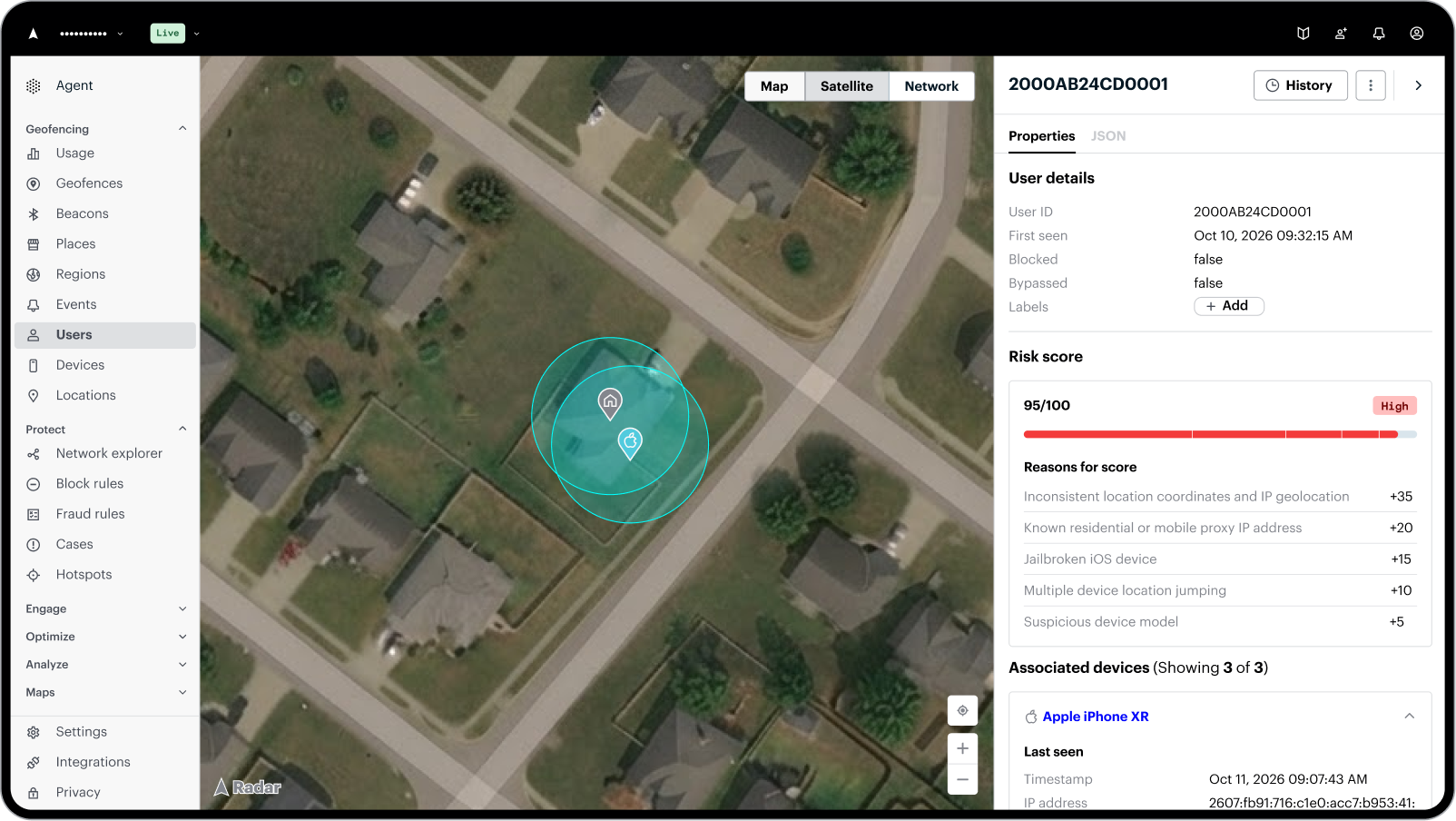
Hotspots are one of the factors in RF-1, our machine-learning-based risk model, which reads each location check in the context of nearby devices and what Radar has learned across its data. When you label confirmed fraud, that feedback helps the graph learn what matters for your business. All of that feeds into our Location Intelligence Graph.
Do hotspots work without precise location?
Hotspots are built from precise location observations, so they can only see activity from users who have shared precise location.
How do you get hotspots?
Hotspots is available in the Radar dashboard under Protect. Contact our fraud operations team at fraud-ops@radar.com to learn more, book a demo, or join our 11/19 session on the fraud you can uncover with Radar.