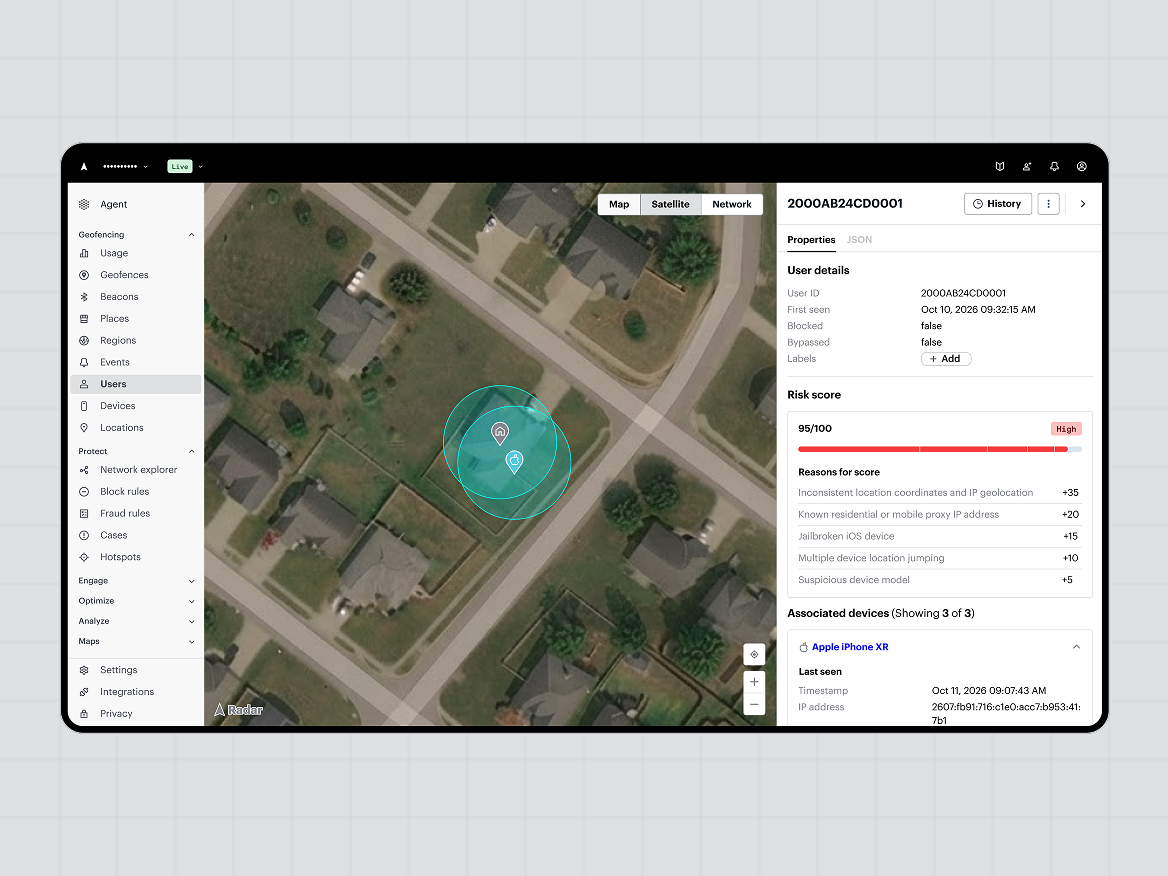
Radar Agent is an AI assistant in the Radar dashboard that runs fraud and geo-compliance investigations on your users, devices, and precise locations. You ask a question in plain language, and Radar Agent answers with a map, table, chart, or network graph. These four examples show how AI fraud investigations work in practice, and the FAQ covers what Radar Agent can and can’t do today.
Why is fraud hard to investigate with IP address and device signals alone?
Fraud is hard to investigate with IP address and device signals alone because fraudsters can change both easily, so accounts that belong to one operation can look unrelated. Precise location adds a signal that is harder to fake, and it connects accounts through the places and devices they share.
Radar Agent works alongside your existing fraud and identity tools. It adds precise location and device intelligence to the investigation, and it does not replace the rest of your stack.
Radar Agent applies the same precise-location capability that supports fraud prevention and geo-compliance, so one question can cover either job.
What can you ask Radar Agent about fraud today?
You can ask Radar Agent about the users, devices, and locations in your Radar project, starting with fraud and geo-compliance investigations. It answers in plain language, and results come back as maps, tables, charts, or network graphs that you can export.
Radar Agent works best when you ask a specific question and follow up.
How do you find a fraud ring with AI?
Radar Agent finds a fraud ring by mapping the devices, networks, and precise locations shared across a set of accounts, then showing the links as a network graph. Fraud rings often look like unrelated accounts, so the connection is usually a shared device, network, or place.
Try asking: “Are these 10 accounts part of a fraud ring?”
To start from one device, ask for a network graph of every user tied to it over the last 30 days. A network graph, such as Network Explorer, shows how accounts, devices, and locations link together. You can then follow up to narrow it down.
[Design - example output here?]
Shared devices, networks, and locations are the links Radar Agent uses to surface possible coordinated fraud.
How do you check an account for takeover with AI?
Radar Agent checks for account takeover by comparing a user’s recent activity to their normal pattern, including new devices, impossible travel, and changes in location behavior. Impossible travel means a login from two places a user couldn’t have reached in the time between them.
Try asking: “Are there signs of account takeover for this user”
Treat the result as a lead for your fraud team to review and confirm.
An account takeover usually appears as a change from the user’s normal device, network, and location pattern.
How do you investigate fraud activity at an address?
Radar Agent investigates an address by mapping nearby activity and the users and devices connected to that location. This is useful when several accounts seem to trace back to the same physical place.
Try asking: “Investigate activity at this address.”
A place can connect accounts that share no device or IP address.
Why is a user being blocked, and what is driving failures?
Radar Agent explains a block by listing the failed checks and risk signals behind a user’s status, and it suggests what to review next. It can also break down failure reasons across all users over a time window.
Try asking: “Why is this user being blocked?”
For the bigger picture, ask for a breakdown of failure reasons over the last 30 days, such as Android failures. Then switch between a chart and a table, or export the results.
In Radar Agent, a failure report and a single-user investigation start from the same plain-language question, so teams can move from the big picture to one account without switching tools.
How should you work with Radar Agent’s answers?
Work with Radar Agent’s answers by asking specific questions, following up, and checking the results in the dashboard.
- Name the time window, such as the last 30 days, so results are comparable.
- Ask a follow-up to narrow or widen what you’re looking at.
- Pull up user and device details without leaving the dashboard.
- Use the chart, table, or export view that fits your team’s review.
Radar Agent investigations work best as a short series of specific questions, each narrowing the last.
Can you also run fraud investigations in Claude or ChatGPT?
Yes. The Radar MCP server connects your Radar data to Claude, ChatGPT, and other AI applications, so you can investigate a user, device, or address from the AI tools your team already uses.
Radar Agent brings the same kinds of investigations inside the Radar dashboard, with maps, tables, and network graphs built in. The MCP server gives the assistant read-only access, and it can’t change project settings or delete users. See how to investigate suspicious activity with the Radar MCP server in Claude or ChatGPT.
Radar Agent and the Radar MCP server support the same investigations, in the dashboard or in the AI tools you already use.
Frequently asked questions
What is Radar Agent?
Radar Agent is an AI assistant in the Radar dashboard. You ask questions in plain language, and it answers with visualizations, reports, and details from your Radar data.
What can I ask Radar Agent today?
You can ask about fraud and geo-compliance investigations on your users, devices, and locations, such as fraud rings, account takeover, activity at a location, and failed checks.
Does Radar Agent replace our fraud or identity vendors?
No. Radar Agent adds precise location and device intelligence to your existing fraud and identity tools, and it does not replace them.
Can I use Radar Agent for geo-compliance investigations?
Yes. Radar Agent supports geo-compliance investigations in the same dashboard, such as reviewing failed checks and activity for players or users in a restricted region.
What is impossible travel?
Impossible travel means a login from two places a user couldn’t have reached in the time between them. Radar Agent flags it as one signal of possible account takeover.
Is Radar Agent’s answer a final decision?
No. Treat each answer as a lead for your team to review and confirm in the dashboard.
Can I use Radar Agent for trips, campaigns, or segmentation?
Radar Agent currently supports fraud and geo-compliance investigations, and we plan to add more use cases for operations and marketing. Tell us what you’d want to do with it next.
What data does Radar Agent use?
Radar Agent uses the location, device, and risk data in your Radar project. Radar does not share individual user or device records across customers.
How is Radar Agent different from the Radar MCP server?
Both support the same kinds of fraud and geo-compliance investigations. The Radar MCP server connects Radar to the AI tools you already use through the Model Context Protocol, and Radar Agent brings the investigation inside the dashboard with the visualizations built in.
Can I export results?
Yes. You can switch between a chart and a table, or export the results.
Who can use Radar Agent?
Radar Agent is available in the new Radar dashboard for all existing Radar customers.
Can I turn Radar Agent off?
Radar Agent can't be turned off by individual users. An organization can ask Radar to turn it off for the entire organization.
Ready to try Radar Agent? Open your dashboard, or get a demo and bring an investigation you’d like to run. Read the launch post. Browse the docs.